Dinner Roulette Pro: Mobile Shoppers' Best Grocery List App | Dinner Roulette Pro
September 20, 2026
Dinner Roulette Pro: Mobile Shoppers’ Best Grocery List App
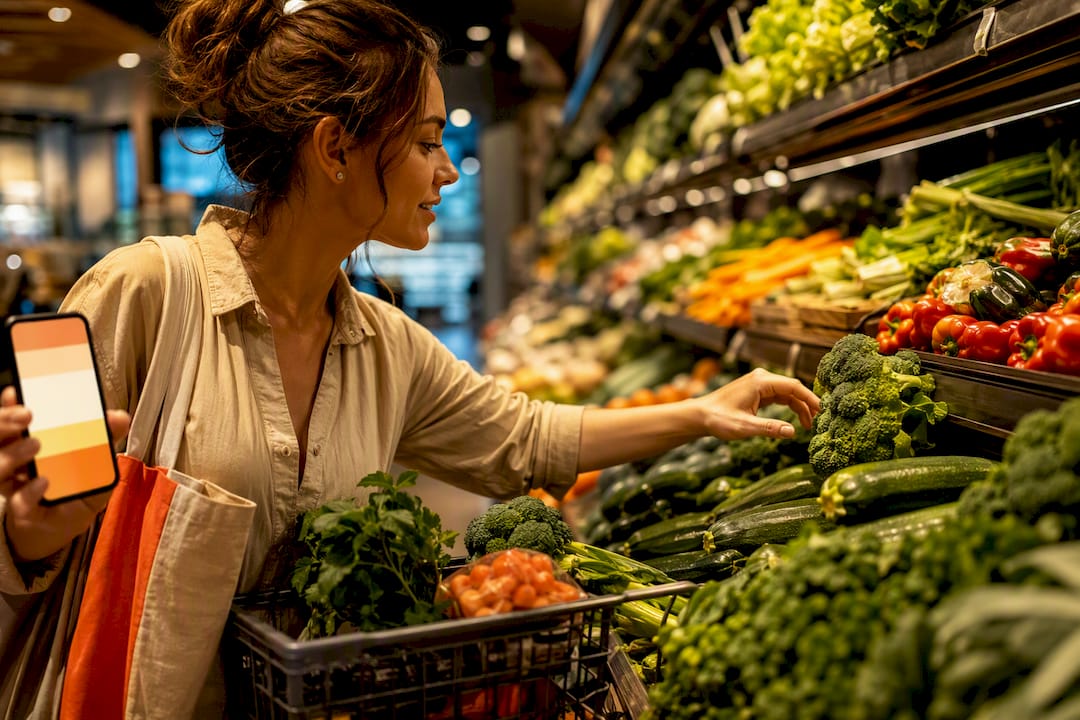
For most mobile shoppers, Dinner Roulette Pro is the best grocery list app because it turns AI-generated recipes directly into a shopping list, cutting out the manual entry every other app still demands. OurGroceries is the strongest pick for families who need instant, reliable sharing. Google Keep Notes wins if you want a free, no-frills list and nothing else. A full comparison and a five-minute test plan follow below.
TL;DR:
- Dinner Roulette Pro automates recipe generation and builds shopping lists from real ingredients, making it ideal for those who struggle with meal decisions.
- OurGroceries offers instant sync and barcode or photo item addition, best suited for large households that need quick, reliable shared lists.
- Apps like Google Keep Notes and Apple Reminders are free, easy to use, and support basic item tracking but lack meal planning or aisle organization features.
- The best app choice depends on the priority of sync speed, offline use, meal plan connection, and budget, with quick testing recommended before settling.
- Most apps do not integrate directly with store loyalty programs, but Dinner Roulette Pro can connect to online shopping carts for streamlined purchasing.
Table of Contents
- What Is the Best Grocery List App Right Now?
- How Do You Choose a Grocery List App?
- How Were These Grocery List Apps Evaluated?
- Do Grocery Apps Work With Store Loyalty Programs and Coupons?
- How Good Is Customer Support and How Often Do These Apps Update?
- Is the Interface Actually Easy to Use While You’re Shopping?
- What Happens to Your Data in a Grocery List App?
- Why We Recommend Dinner Roulette Pro
- Ready to Try Dinner Roulette Pro?
- Sources
- FAQ
What Is the Best Grocery List App Right Now?
Eleven apps dominate this category, and each one wins a different kind of shopper. The real split isn’t features versus no features. It’s whether the app treats your list as an isolated task or as the output of something bigger, like a planned week of dinners.
Dinner Roulette Pro leads because it skips the step every other app makes you do by hand: deciding what to cook. It generates recipes through an AI-driven roulette wheel, checks them against allergies and dietary restrictions, and builds the shopping list automatically. For a shopper who dreads the “what’s for dinner” question five nights a week, that’s a different category of tool.
AnyList is built for households that already plan meals and want their recipes and lists tightly linked, with strong category grouping for aisle-by-aisle shopping and solid recipe import from websites, according to AnyList’s own feature page. Bring keeps things visual and simple, favoring quick recall over deep organization. Google Keep Notes rides on Google’s ubiquity: if you already live in Gmail and Google Drive, your list syncs across devices for free with zero setup.
Listonic Grocery Shopping List is built for speed, with quick-add entry and light price tracking for shoppers who don’t want a heavy app. OurGroceries is the household workhorse, built around instant sync and photo or barcode item adds that make it a favorite in family reviews. Out of Milk adds a pantry tab, useful if you want to track what’s running low, not just what’s on this week’s list. TickTick folds grocery lists into a broader task manager, which suits anyone who already organizes their whole life in one app.
Groceries Tracker stands apart by pairing lists with receipt scanning and spending analytics, which one 2026 comparison named best overall for shoppers who want to track what they actually spend. Mealime mirrors Dinner Roulette Pro’s meal-first approach but without the AI randomness or allergy safety checks. Apple Reminders rounds out the list as the zero-cost, zero-setup option baked into every iPhone.
A few trade-offs matter more than the table alone shows:
- Dinner Roulette Pro: you get automated lists tied to real recipes, but if you just want a bare-bones checklist with nothing else, it’s more app than you need.
- AnyList: excellent recipe workflows, though the free tier caps you before you feel the full benefit of shared lists.
- Bring: pleasant to use, but its feature set stays thin compared to apps built for families.
- Google Keep Notes: free and everywhere, but there’s no dedicated grocery structure, no aisle grouping, no recipe link.
- Listonic Grocery Shopping List: fast for quick trips, but the price-tracking features feel more like an add-on than a core strength.
- OurGroceries: sync speed is a genuine strength, but the interface looks dated next to newer entrants.
- Out of Milk: the pantry tab is handy, though the app’s overall polish lags behind competitors.
- TickTick: great if lists already live next to your to-dos, but grocery-specific features (aisle sorting, recipe import) are minimal.
- Groceries Tracker: strong for spend tracking, but the receipt-scanning workflow adds a step some shoppers won’t want.
- Mealime: a solid meal-to-list bridge, but it lacks the dietary and allergy screening that busy families increasingly want.
- Apple Reminders: free and instant, but it offers no meal-planning or grocery-specific structure at all.
How Do You Choose a Grocery List App?
Five things actually separate a good app from a forgettable one: sync speed, how fast you can add an item, whether it works without signal in a store’s dead zone, whether it connects to a meal plan, and what it costs once the free tier runs thin. For practical budget meal planning strategies that complement your app choice, see How to Meal Plan on a Budget That Works. Lifestyle reviewers consistently note that apps which disappear into a household’s routine beat feature-heavy ones that demand extra taps.
Run this five-minute test before committing to any app:
- Share a list with someone else in your household and time how fast it appears on their phone.
- Add an item by voice, photo, or barcode scan, whichever the app supports.
- Turn off Wi-Fi and mobile data, then check off three items to confirm offline mode actually works.
- Add a full recipe’s ingredients to a list in one action, if the app supports recipe import.
- If the app tracks spending, add five items and see whether it estimates a running total.
Three red flags should send you looking elsewhere: sync that lags more than a few seconds on a live household test, an app that locks basic sharing behind a paywall, and an interface that buries the “add item” button behind multiple taps. A good shopping list guide can help you decide what features you actually need before you download five apps to find out.
Pro Tip: Test sync with an obscure item, not “milk” or “eggs.” Add something like “za’atar spice blend” from a second device and see how long it takes to show up. That’s a better stress test than a common grocery item everyone already has memorized.
How Were These Grocery List Apps Evaluated?
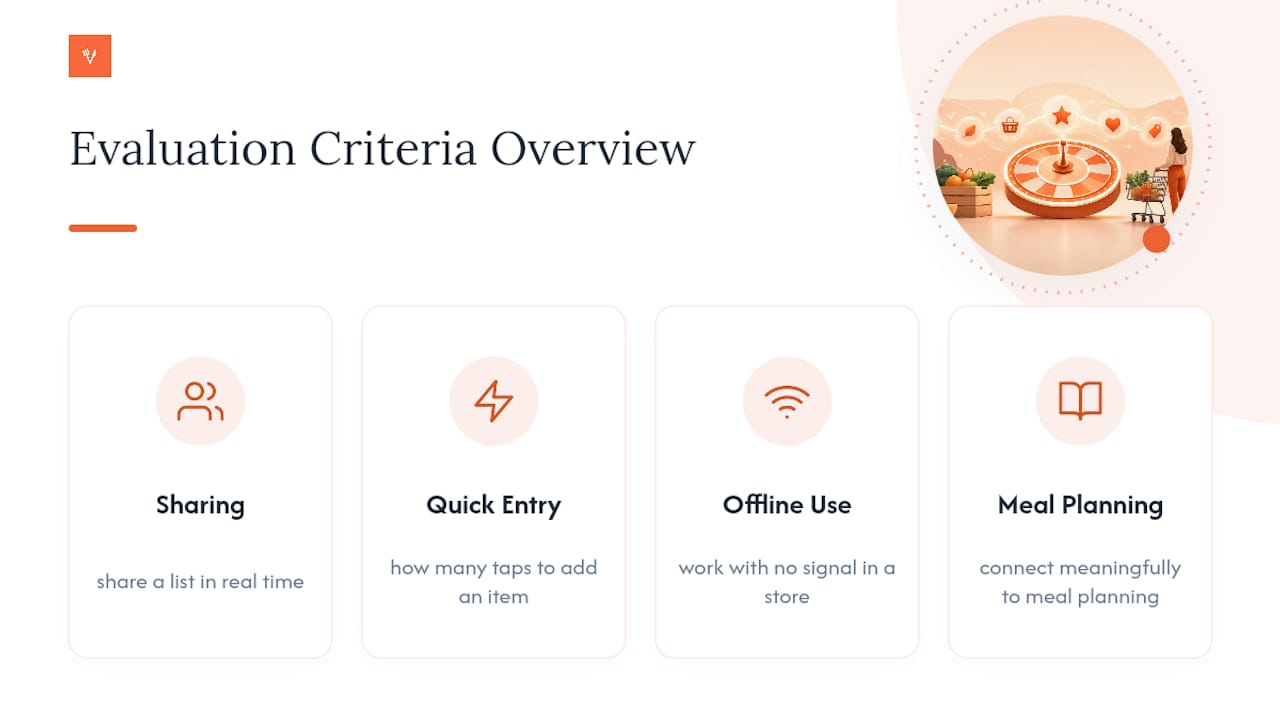
Every app on this list was weighed against the same core questions: how fast can two people share a list in real time, how many taps does it take to add an item, does the app work with no signal in a store, and does it connect meaningfully to meal planning rather than treating groceries as an isolated task. These criteria mirror the “what matters” framework used in tested comparisons like Groceries Tracker’s 2026 roundup, which scored apps on sharing, offline use, price, and recipe integration rather than raw feature counts.
Platform availability and pricing were checked against each app’s official store listing and website. Feature claims for sharing speed and photo or barcode adds came from the developer’s own Play Store listing and app descriptions, cross-referenced against independent roundups like Android Authority’s list of top grocery apps for Android. Where an app claims offline support or instant sync, that claim gets weighed against how the feature is described in practice, not just how it’s marketed. No formal lab testing environment was used here. Instead, this evaluation leans on published feature documentation, verified app store data, and editorial consensus across multiple independent reviews to judge which apps genuinely reduce friction versus which ones just add more screens.
Do Grocery Apps Work With Store Loyalty Programs and Coupons?
Most of the apps on this list don’t connect directly to store loyalty programs. AnyList, Bring, OurGroceries, and Listonic Grocery Shopping List focus on the list itself, not what happens at checkout. If you rely on a specific chain’s loyalty app for digital coupons, you’ll likely juggle two apps: one for the list, one for the discounts.
Dinner Roulette Pro takes a different approach by connecting the shopping list directly to grocery cart ordering through Walmart or Instacart, so the ingredients your recipe generates can go straight into a cart rather than sitting on a paper list you still have to shop from manually. That’s not the same as native loyalty-card integration, but it removes a step that most list apps never touch.
Groceries Tracker gets closest to a coupon-adjacent workflow through its receipt scanning and spending analytics, which let you see what you actually paid after the fact, even if it doesn’t apply digital coupons in real time. If loyalty integration is a top priority for your shopping routine, check your specific grocery chain’s own app. Chain-specific apps from retailers like Kroger or Walmart tend to handle digital coupons and points more directly than any general-purpose grocery list app will.
How Good Is Customer Support and How Often Do These Apps Update?
Update frequency varies more than most shoppers expect. Apps tied to a broader company, like Google Keep Notes or Apple Reminders, get updates on the back of their parent platform’s release cycle, which means steady but infrequent changes. Independent apps like AnyList, Bring, and OurGroceries tend to ship updates more often since grocery lists are their entire business, and staying useful means fixing sync bugs fast.
Support quality also splits along the same line. A free built-in app like Apple Reminders offers no dedicated support channel beyond Apple’s general help pages. Purpose-built grocery apps typically offer in-app help, email support, and active app store review responses, since a broken sync feature during a Saturday shopping trip is the kind of complaint that gets read fast. Dinner Roulette Pro ships updates tied to its AI recipe engine and allergy-check logic, since those features depend on staying current with dietary data. When you’re evaluating any app, checking recent update dates in its app store listing tells you more than any marketing page will.
Is the Interface Actually Easy to Use While You’re Shopping?
This is where most apps either earn their place on your phone or get deleted within a week. An app with a cluttered add-item screen, or one that requires three taps to check off a single item, fails the only test that matters: can you use it one-handed while pushing a cart.
Bring and Listonic Grocery Shopping List both lean toward minimalist, visual interfaces built for exactly that scenario. OurGroceries keeps its interface simple enough that photo and barcode adds don’t require hunting through menus. Dinner Roulette Pro’s list generation happens automatically after you pick a recipe, so there’s no manual entry screen to fumble with at all, since the list is already built by the time you’re standing in aisle three. TickTick and Groceries Tracker carry more screens by nature, since they’re doing more than list management, which means a slightly steeper learning curve for someone who just wants a checklist.
What Happens to Your Data in a Grocery List App?
Most grocery list apps sync through your Google or Apple account, which means your list data lives inside an ecosystem you likely already trust with far more sensitive information. Google Keep Notes and Apple Reminders inherit their parent platform’s security standards, which is a meaningful advantage if you’re wary of a smaller developer’s data practices.
Independent apps vary more. AnyList, Bring, and OurGroceries publish their own privacy policies covering what’s collected and how sharing works between household members. Apps that add spending or receipt data, like Groceries Tracker, are handling more sensitive information than a simple list, since a receipt reveals where you shop and roughly how much you spend. Dinner Roulette Pro’s allergy and dietary data adds another layer worth checking, since that information is more personal than a shopping list on its own. Read the privacy policy before granting camera or contacts access, especially for apps that request permissions beyond what a basic list actually needs.
Why We Recommend Dinner Roulette Pro
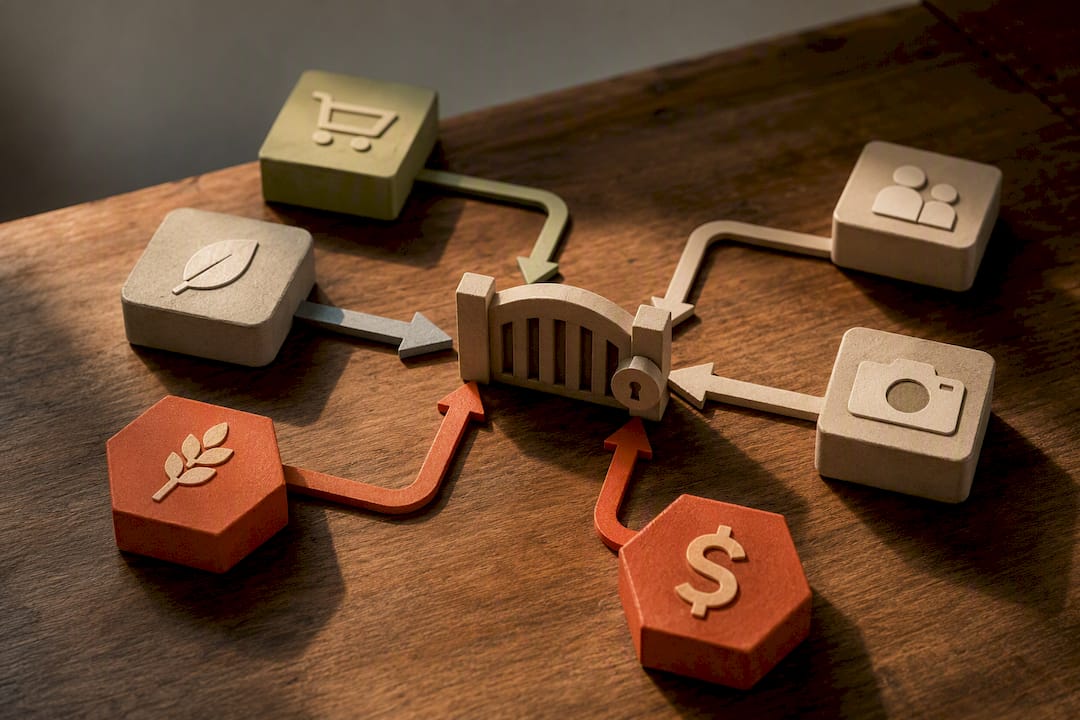
The apps in this piece all do one thing well. Dinner Roulette Pro does two things at once, and that’s the actual differentiator worth paying attention to. It generates a full recipe through its AI roulette wheel, checks it against your allergies and dietary restrictions, and hands you a shopping list built from real ingredients, not a blank text box you have to fill in yourself. Add the neurodivergent-friendly SafeMode for low-energy days, and one-tap ordering through Walmart or Instacart, and you’ve got a tool that’s solving the “what’s for dinner” problem, not just the “what do I buy” problem.
The shoppers who get the most out of it are those who dread meal decisions more than shopping itself: busy families cycling through the same five dinners, and anyone tired of takeout because deciding what to cook feels like its own chore.
— Jack
Ready to Try Dinner Roulette Pro?
If the apps above solve half your problem (the list) but leave the harder half (deciding what to actually cook) untouched, that’s the gap Dinner Roulette Pro was built to close. Spin the wheel, get a full recipe with nutrition info already calculated, and watch the shopping list build itself from the ingredients, no manual entry required.
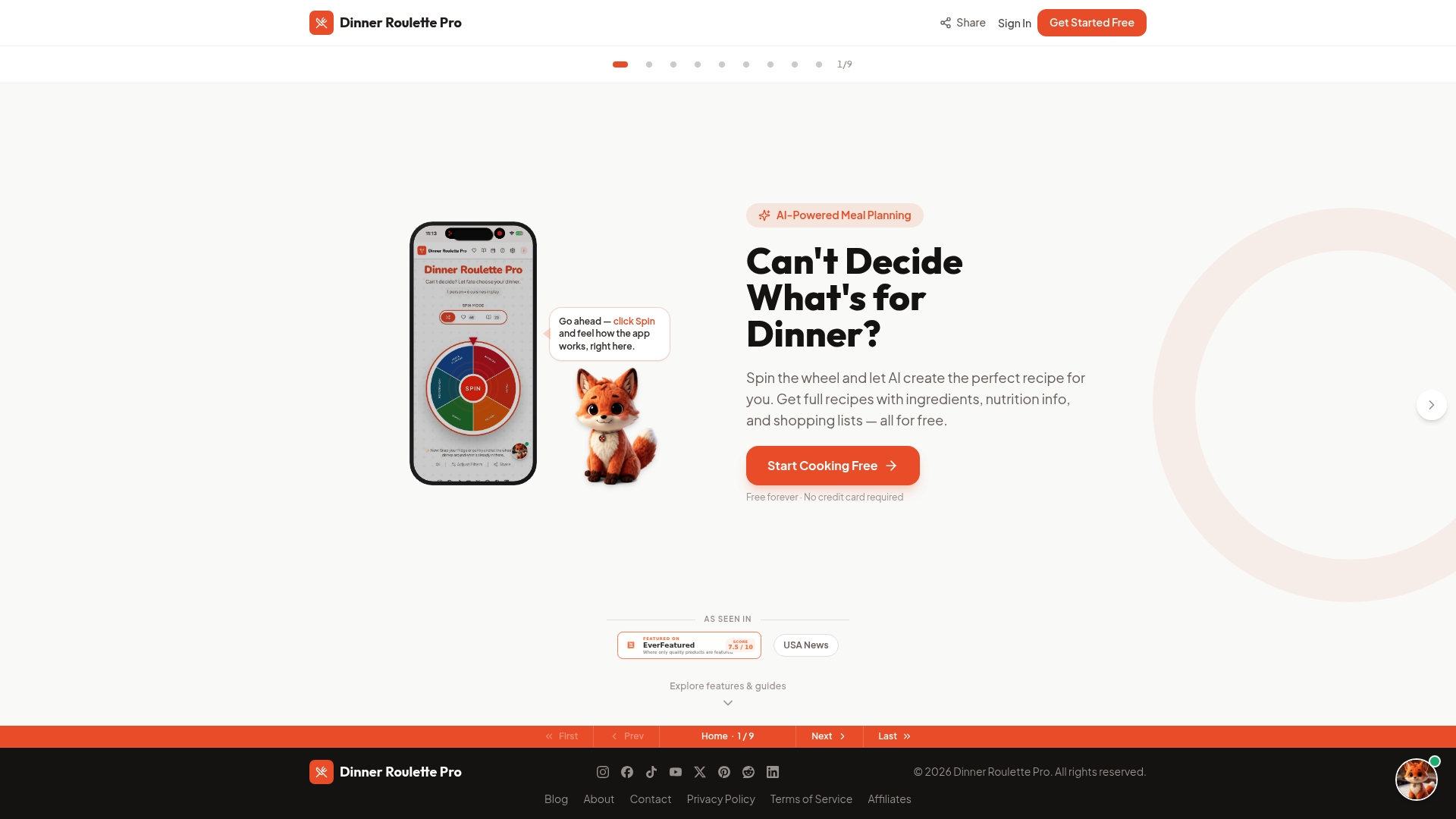
The core app is free forever, with paid plans available. Every plan includes the same core benefit: a shopping list that writes itself the moment you pick a recipe. Want to see how the ingredient-to-list conversion actually works before you commit? Check the shopping list guide for a walkthrough, or head straight to Dr-pro to spin your first wheel today.
Sources
- 9 best grocery list apps for Android
- 7 Best Grocery List Apps in 2026 (Tested & Compared)
- Our Groceries Shopping List - Apps on Google Play
- Best grocery list apps — The Kitchn
FAQ
What Is the 5/4/3/2/1 Rule for Groceries?
It’s a rough budgeting shortcut some shoppers use to structure a weekly list: roughly five vegetables, four fruits, three proteins, two grains, and one treat item per shopping trip. It’s a loose guideline, not a fixed formula, and most grocery list apps won’t enforce it automatically, though tracking categories in an app like Out of Milk or AnyList makes it easier to eyeball whether your cart matches that balance.
Which Grocery List App Is Better, OurGroceries or AnyList?
OurGroceries wins on sync speed and simplicity, with instant household updates and photo or barcode adds that make it a strong pick for families who just want a fast shared list. AnyList wins for households that lean on recipes, thanks to stronger recipe import and category organization. Neither is objectively better; the choice comes down to whether recipes or raw sync speed matters more to your routine.
What Is the Best App for Joint Grocery Shopping Lists?
OurGroceries and AnyList both handle shared lists well, with real-time updates that show changes the moment a household member adds an item. Dinner Roulette Pro takes a different angle for couples who cook together, since it generates the list automatically from a jointly chosen recipe rather than requiring either person to type it in manually.
Which App Is Best for Grocery Items Specifically?
For a pure item-tracking checklist with no extra features, Google Keep Notes or Apple Reminders both work well and cost nothing. If you want items organized by aisle or category automatically, Listonic Grocery Shopping List and AnyList both offer that structure without the added complexity of meal planning.
Does Dinner Roulette Pro Cost Anything to Use?
The core app is free forever, including AI recipe generation and basic shopping list creation. Paid plans unlock advanced features like SafeMode and deeper nutrition scoring, starting at $4.99 per month, $39.99 per year, or a one-time $99.99 lifetime purchase, all listed on Dr-pro.