Reduce Grocery Trips: 11 Meal Prep Apps Compared (2026) | Dinner Roulette Pro
September 21, 2026
Reduce Grocery Trips: 11 Meal Prep Apps Compared (2026)

If decision fatigue is your problem, Dinner Roulette Pro is the best meal prep app to start with because it removes the choice entirely and hands you a shopping list. If you already have a recipe collection and want a calendar to organize it, Plan to Eat is a top pick. If grocery lists are all you care about, AnyList does that one job better than anything else on this list, and Samsung Food is the strongest free option.
TL;DR:
- The best apps prioritize aisle grouping and delivery integration over recipe counts to reduce food waste and improve grocery shopping efficiency.
- Dinner Roulette Pro offers AI-generated recipes tailored to dietary restrictions, instantly linking shopping lists to Walmart or Instacart carts at no initial cost.
- Plan to Eat excels in importing trusted recipes and organizing them on a drag-and-drop calendar, making it ideal for users with existing recipe collections.
- Apps like AnyList focus on household grocery list sharing, while Samsung Food provides extensive free recipe browsing with optional AI personalization.
- Testing grocery cart integrations during trials is essential, as they vary widely in how accurately they transfer item quantities and fit local store options.
Table of Contents
- What Makes the Best Meal Prep App in 2026?
- How Do the Top 11 Meal Prep Apps Compare?
- How Do You Choose the Right Meal Prep App for You?
- How We Compared These Meal Prep Apps
- AI Roulette or a Recipe Library: Which Fits You?
- Try Dinner Roulette Pro for Your Next Grocery Run
- Sources
- FAQ
What Makes the Best Meal Prep App in 2026?
The best meal prep apps in 2026 are judged less on recipe count and more on what happens after you plan the week: does the app turn that plan into a grocery list you can actually use at the store, or does it dump 40 ingredients into one alphabetized wall of text? That shift matters because food waste in American households is largely driven by over-buying and poor planning, and a sloppy grocery list is often the root cause. A 2026 side-by-side review of meal planning apps found that the apps readers rated highest weren’t the ones with the biggest recipe libraries. They were the ones that grouped grocery items by aisle and synced cleanly with a delivery service.
That’s the lens this comparison uses. Below is a compact look at how 11 apps stack up on the things that actually change your Tuesday night: grocery-list behavior, recipe import, AI features, pricing shape, and platform reach.
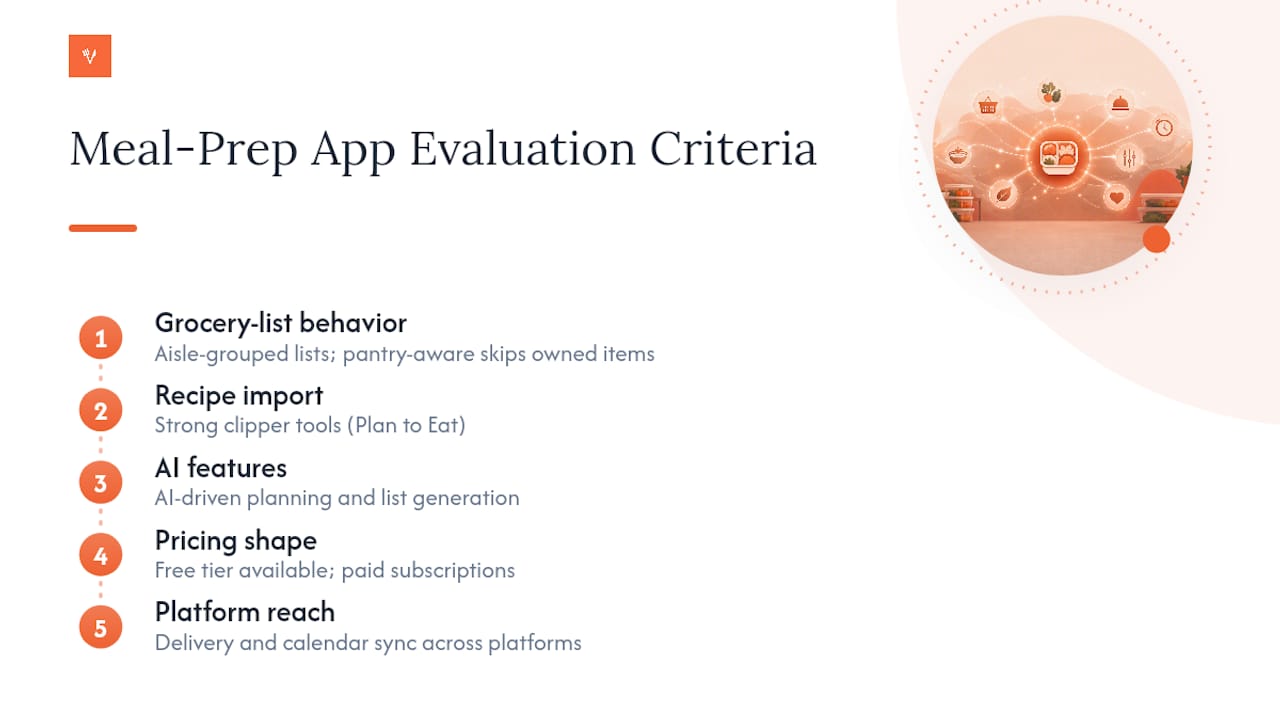
A few quick picks for common situations: for the best overall grocery-to-plate workflow, Dinner Roulette Pro and Plan to Eat both do the job well from different angles (AI-driven versus recipe-first). For recipe import specifically, Plan to Eat has the strongest clipper tools. For a free option with real depth, Samsung Food’s catalog is hard to beat. For families juggling shared chores, Cozi Family Organizer keeps everyone on the same calendar.
Grocery partner integration is where the newer entrants separate themselves, and some users may opt for a bi-weekly fruits delivery subscription to streamline ingredient sourcing with services like Tai Kang Healthy Fruits. eMeals links straight into delivery services, Dinner Roulette Pro pushes generated lists into Walmart and Instacart carts, and FoodiePrep’s whole pitch is pantry-aware lists that skip items you already own.
How Do the Top 11 Meal Prep Apps Compare?
1. Dinner Roulette Pro works differently than almost everything else on this list. Instead of browsing a library, you set your dietary restrictions and allergy profile, spin the wheel, and get a full recipe with nutrition information and a shopping list generated on the spot. It’s built for people who don’t want to think about dinner, not for people who want to curate one. It runs on iOS, Android, and web, and the grocery list pushes directly into Walmart or Instacart carts. The free tier covers the core AI generation and planning tools; paid plans offer advanced features and more detailed nutrition scoring. The standout feature is the allergy-check system layered on top of the AI randomness, which matters if you’ve ever had a “surprise me” meal app suggest shellfish to someone with a shellfish allergy.
2. AnyList is not trying to be a meal planner first. It’s a grocery-list app that happens to support meal planning, and its App Store listing leans hard into that focus. Lists sync instantly across a household’s phones, categorize by store section, and let multiple people check off items in real time. Recipe import works through a manual entry or a basic web clipper, but it’s not the app’s strength. Best for people who already know what they’re cooking and just want the shopping side handled well.
3. Mealime picks your weeknight meals for you using an algorithm rather than a spin-the-wheel randomizer. You set preferences (portions, allergies, cuisine types) once, and it serves up a rotating set of dinners with a matching grocery list. The App Store listing confirms the free tier includes real plan generation, with a Pro subscription unlocking a larger recipe pool and nutrition detail. This free-but-functional structure is common across the category: letting people build a real list before asking for a subscription tends to lower churn, based on how Mealime structures its own tier.
4. Plan to Eat flips the model. You bring your own recipes, drop them onto a drag-and-drop calendar, and the app builds an aisle-grouped grocery list from whatever you planned that week. Its product description highlights the recipe-clipper tool as the centerpiece, and it’s genuinely strong: paste a URL from almost any recipe blog and it imports cleanly. This matters more than it sounds. Apps that let people import their own recipe libraries tend to keep users longer than closed, curated-only systems, since people stick with recipes they already trust. Plan to Eat runs on a trial followed by a subscription, and it’s on iOS, Android, and web.
5. Paprika is the one-time-purchase holdout in a subscription-heavy category. You buy it once per platform, and you get a recipe organizer with a built-in clipper, meal-planning calendar, and custom grocery lists. Its App Store descriptors describe a tool built for people who’ve accumulated recipes across bookmarks, cookbooks, and screenshots and just want them in one searchable place. There’s no AI meal generation here, and that’s the trade-off: you’re buying an organizer, not a decision-maker.
6. eMeals sends you a finished weekly meal plan built around a diet style you pick (keto, low-carb, family-friendly, and others), and its listing points directly at its grocery delivery partner integrations. This is the app for someone who doesn’t want to build a plan at all. It’s a subscription service, available on iOS, Android, and web, and the standout is how directly the weekly plan connects to a one-click cart.
7. Eat This Much works backward from a number. Tell it your daily calorie or macro target, and it assembles a meal plan and shopping list that hits those targets automatically. It’s a fit for people tracking macros closely, where a roulette-style random meal generator would be counterproductive. The grocery list is auto-generated but not particularly aisle-aware.
8. FoodiePrep is one of the newer 2026 entrants, and its entire positioning is pantry awareness. Instead of listing every ingredient a recipe needs, it checks what you’ve marked as already in your pantry and only adds what’s missing to the list, grouped by aisle. That’s a genuinely useful wrinkle that most of the older apps on this list don’t do.

9. Mealdill shows up repeatedly in user reviews as a simpler, lighter-weight planning option. It doesn’t carry the feature depth of Plan to Eat or the AI generation of Dinner Roulette Pro, but reviewers point to it as an easy on-ramp for someone who finds other apps too busy.
10. Cozi Family Organizer treats meal planning as one piece of a bigger household calendar. Shared grocery lists, shared schedules, and shared meal plans all live in the same app, which makes it a natural fit for families where more than one person does the shopping. Meal planning here is functional rather than sophisticated.
11. Samsung Food gives you a genuinely large free recipe catalog, built on the Whisk platform, with a clipper that imports recipes from almost any site. Its listing confirms a premium tier unlocks AI personalization on top of that free base. For someone who just wants to browse and save recipes without paying anything, this is close to as good as it gets.
How Do You Choose the Right Meal Prep App for You?
Start by ranking what actually matters to you, because no app wins on every dimension at once.
- Grocery-list quality: Do you need aisle grouping, pantry awareness, or a delivery-partner link, or is a plain list fine?
- Recipe ownership: Do you want to import recipes you already trust, or are you fine letting the app choose for you?
- Platform reach: Does everyone in your household need the app on their own phone, or is one shared account enough?
- Pricing shape: Are you comfortable with a monthly subscription, or do you want a one-time purchase like Paprika?
- AI involvement: Do you want a human-style algorithm picking meals, or full randomness with allergy guardrails?
Run this six-step check during any free trial before committing:
- Import one recipe you actually cook and see if the clipper gets the ingredients right.
- Generate a grocery list from a real week’s plan, not the app’s demo data.
- Check whether the delivery-partner link (Instacart, Walmart, or similar) actually works in your zip code.
- Test family sharing if more than one person shops or cooks.
- Confirm you can export or print the list if your phone dies at the store.
- Cross-check one nutrition figure against a label you have at home.
Pro Tip: Grocery partner integrations look identical in marketing screenshots but behave very differently in practice. Test the actual cart handoff during the trial, not just the “connect your store” toggle. Some apps only pass over item names, not quantities, which forces you to redo the math.
Watch for apps that market “AI meal planning” but only auto-fill a template. If a subscription blocks basic list generation entirely rather than just the advanced features, treat that as a red flag rather than a normal freemium limit.
How We Compared These Meal Prep Apps
Every app on this list was evaluated against seven criteria: grocery workflow quality, whether users can bring their own recipes, platform parity across iOS and Android, family-sharing support, pricing transparency, integration depth with grocery partners, and how AI or algorithmic features actually function day to day.
- Grocery workflow: does the list group by aisle, sync across devices, and hand off to a delivery partner?
- Recipe ownership: clipper quality and import friction for people with existing recipe collections
- Platform parity: iOS, Android, and web availability without major feature gaps
- Pricing transparency: whether free tiers are functional or just a stripped demo
Sourcing came from official App Store and Google Play listings, published pricing pages, and a third-party 2026 roundup that tested grocery-list behavior directly. Where food-waste context was needed, USDA’s own guidance informed why grocery-list precision carries weight beyond convenience.
One disclosure worth stating plainly: Dinner Roulette Pro is the publisher’s own app. It’s evaluated here against the same criteria as every competitor, using the same public listings and pricing pages, not a separate or softer standard.
AI Roulette or a Recipe Library: Which Fits You?
Randomness solves a different problem than curation does. If your bottleneck is deciding what to cook, an AI roulette approach removes that decision entirely, which is why it tends to work well for solo cooks, neurodivergent users managing low-energy days, and anyone tired of staring at a fridge. If your bottleneck is trusting the recipe itself, a library-first planner like Plan to Eat or Paprika serves you better, because you’re choosing from meals you already know work.
Families splitting cooking duties often land somewhere in between: one AI-generated night for the person who’s exhausted, one imported family recipe for Sunday dinner. Start with whichever bottleneck you actually have, not the one you think you should have.
— Jack
Try Dinner Roulette Pro for Your Next Grocery Run
Every app in this comparison eventually asks you to do some work: pick a diet style, import a recipe, choose from a library. Dinner Roulette Pro skips that step. Set your dietary restrictions and allergy profile once, spin the wheel, and you get a full recipe with nutrition information and a shopping list ready to push into your Walmart or Instacart cart, at no cost for the core experience.
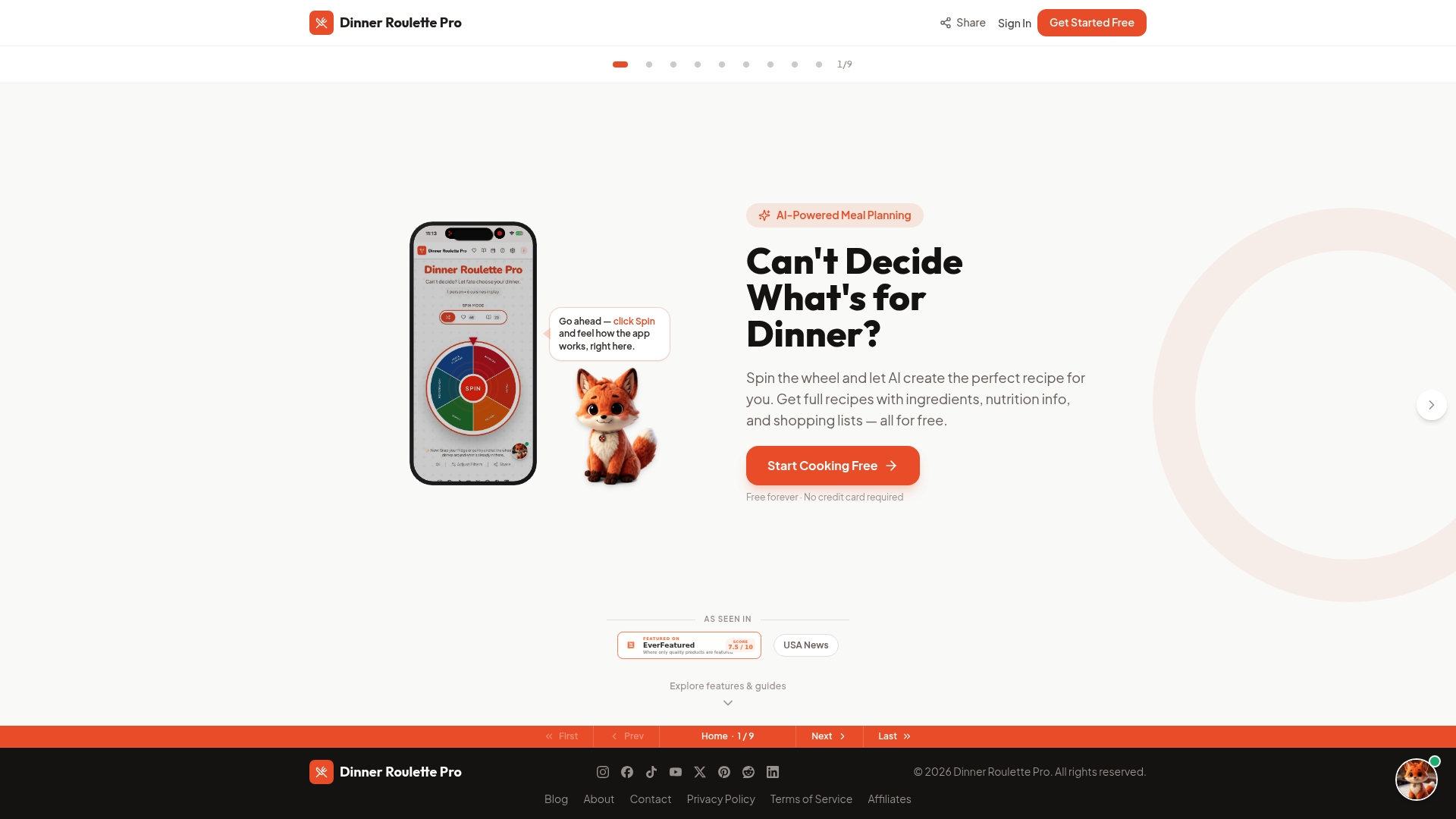
That combination of allergy safety, AI-driven variety, and direct grocery cart integration is what separates it from library-first tools that still leave the deciding to you. The core AI recipe generation, allergy checks, and shopping list creation are free forever. Additional features like deeper nutrition scoring, SafeMode for low-energy days, and recipe import are available with paid plans. Start by spinning the wheel once on the Dinner Roulette Pro home page and building tonight’s shopping list from whatever it gives you, then check the shopping list guide if you want to fine-tune how it groups your cart.
FAQ
What Is the 3-3-3 Rule for Meal Prep?
The 3-3-3 rule is a simple planning shortcut: prep three proteins, three vegetables or sides, and three sauces or seasonings, then mix and match them across the week instead of cooking a brand-new recipe every night. It’s less a fixed standard than a mental model people use to cut decision time, and it pairs naturally with apps that auto-generate grocery lists from a rotating set of ingredients.
What Is the Best App for Food Preparation?
The best meal prep app depends on what’s actually slowing you down. Dinner Roulette Pro fits best if decision fatigue is the problem, since it generates a full recipe and shopping list from a spin of the wheel at no cost, while Plan to Eat or Paprika fit better if you already have recipes you trust and want a calendar or organizer around them.
How Much Does the MealPrepPro App Cost?
There’s no widely recognized app called “MealPrepPro,” so pricing for it isn’t publicly listed anywhere reliable. If you mean Dinner Roulette Pro, its core AI planning tools are free, with paid plans at $4.99 a month, $39.99 a year, or $99.99 as a one-time lifetime purchase, all listed on the Dinner Roulette Pro site.
What Is the Best Meal Prep Site or App Overall?
There isn’t a single best meal prep app for everyone. Dinner Roulette Pro leads for AI-generated variety and allergy safety, AnyList leads for grocery-list sharing, and Plan to Eat leads for people who want to organize recipes they already own on a shared calendar.