Test in 10 Minutes: Dinner Roulette Pro, the Best Weekly Meal Planner | Dinner Roulette Pro
September 17, 2026
Test in 10 Minutes: Dinner Roulette Pro, the Best Weekly Meal Planner

Dinner Roulette Pro is the best weekly meal planner for most busy households in 2026 because it builds a full week of dinners, converts that plan into an aisle-sorted grocery list, and screens for allergies and dietary restrictions in one pass. The core app is free, so you can test it against your Sunday routine tonight without a subscription or a credit card.
TL;DR:
- Dinner Roulette Pro automatically generates a full week of dinners in under five minutes, reducing decision fatigue and streamlining weekly planning.
- The app creates aisle-sorted grocery lists directly from plans and flags existing pantry items to prevent unnecessary purchases.
- It includes built-in filters for allergies and dietary restrictions, with recipe import, sharing, and optional grocery delivery integrations.
- Testing the app on a chaotic week ensures it effectively handles real-life disruptions and avoids hidden costs tied to premium features.
- A simple routine of fifteen to twenty minutes of planning and thirty to sixty minutes of prep each week suffices for most households.
Table of Contents
- What Makes a Weekly Meal Planner Worth Using?
- What Feature Categories Actually Matter?
- How Do You Choose the Right Weekly Meal Planner?
- How Does Dinner Roulette Pro Actually Work?
- What’s a Realistic Weekly Planning Routine?
- Does Automation Actually Reduce Decision Fatigue?
- Ready to Try Dinner Roulette Pro This Week?
- Where Does This Guidance Come From?
- Sources
- FAQ
What Makes a Weekly Meal Planner Worth Using?
Not every household needs the same planner. A parent juggling three kids’ schedules has different priorities than someone eating solo and watching a grocery budget. Matching the tool to the actual problem you’re solving saves you from downloading five apps before landing on one that sticks.
Here’s how the most common needs break down, and what to prioritize in each case:
- Best for busy weeknights: Prioritize speed of plan generation. You want a tool that produces a full week of dinners in a couple of minutes, not one that asks you to build every meal from scratch. This is where an AI-driven weekly meal planning guide beats a blank spreadsheet.
- Best for families: Prioritize shared calendars and portion scaling. A planner that lets everyone see the week’s dinners and adjusts serving sizes for growing kids or unexpected guests earns its place on the family phone.
- Best for budget-conscious cooks: Prioritize pantry awareness and repeat-favorite tracking. Planners that flag what you already own before adding it to a list cut down on duplicate purchases, a pattern confirmed by reviews of grocery-list apps.
- Best for strict diets or allergies: Prioritize built-in filters, not just search tags. A real allergy check flags cross-contact risks in ingredients, not just recipe titles.
- Best for pantry-first shoppers: Prioritize ingredient-based recipe suggestions, so a half-used bag of rice or a wilting bunch of spinach becomes tonight’s dinner instead of tomorrow’s food waste.
This kind of meal planner is typically built around the first case and stretches comfortably into the other four. Dietary and allergy filters, pantry-aware suggestions, and family-friendly sharing options mean you’re rarely stuck bolting on a second app to cover a gap the first one left. If your household’s biggest pain point is simply deciding what’s for dinner five nights in a row, that’s the use case this kind of easy weekly meal planner solves best.
What Feature Categories Actually Matter?
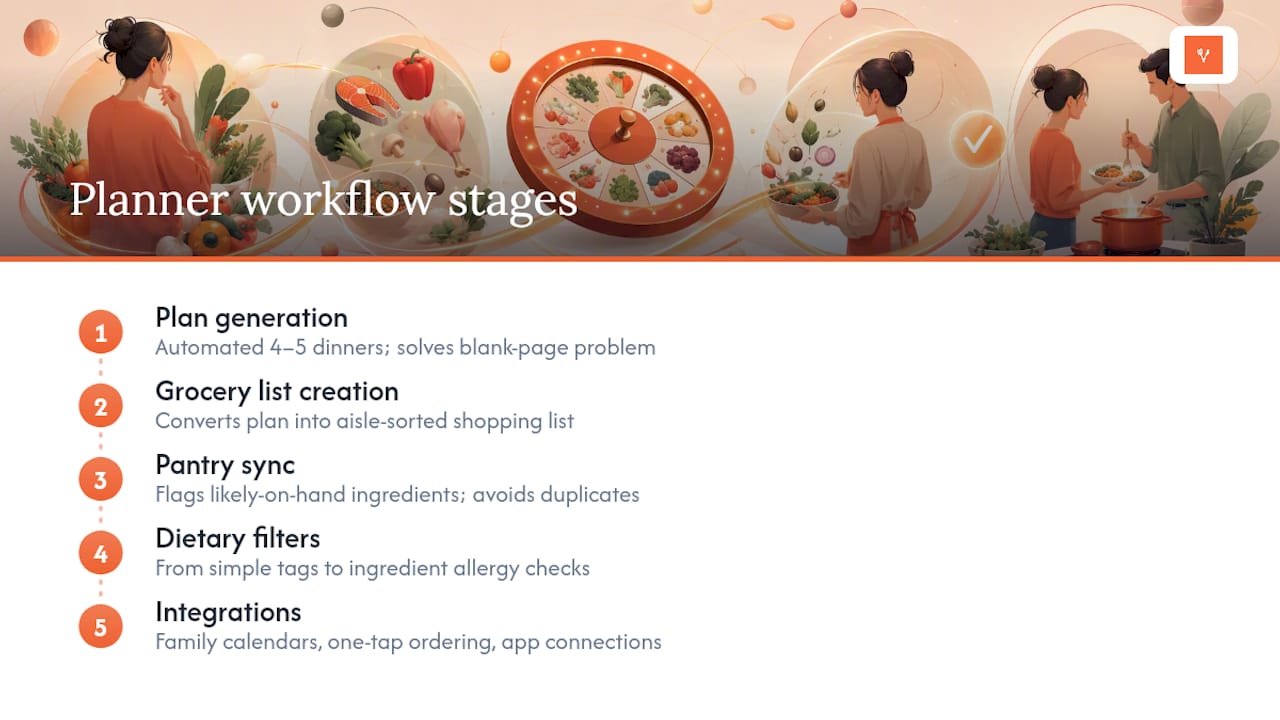
Comparing meal planners by brand name gets you nowhere useful. Comparing them by workflow stage tells you exactly what you’re trading off. There are five stages that make or break a planner, and each one has a clear version of “good.”
Plan generation is the first stage, and it’s where automation earns or loses its keep. A planner that hands you five dinners based on your stated preferences in under a minute removes the blank-page problem entirely. A planner that requires you to search and manually assign each night just moves the decision fatigue instead of solving it. Nutrition experts recommend planning four to five dinners a week and leaning on leftovers for the rest, which is exactly the rhythm a good generator should default to.
Grocery list creation is the second stage, and the trade-off here is manual control versus automatic conversion. The best planners turn a finished weekly plan directly into a shopping list, sorted by store aisle so you’re not backtracking through the produce section twice. Nutrition points out that building a list straight from planned meals is one of the most reliable ways to save both time and money at the store.
Pantry sync is the third stage, and it separates the planners that respect what’s already in your kitchen from the ones that don’t. A pantry-aware list flags ingredients you likely already have, which keeps you from buying a third jar of cumin. This single feature is one of the biggest differentiators between a mediocre budget-friendly meal planning tool and a genuinely useful one.
Dietary filters are the fourth stage, and the trade-off is depth versus convenience. Surface-level tagging (“vegetarian,” “low-carb”) is fast but shallow. Real allergy-checking that cross-references ingredient lists takes more setup but protects the people in your house who actually need it.
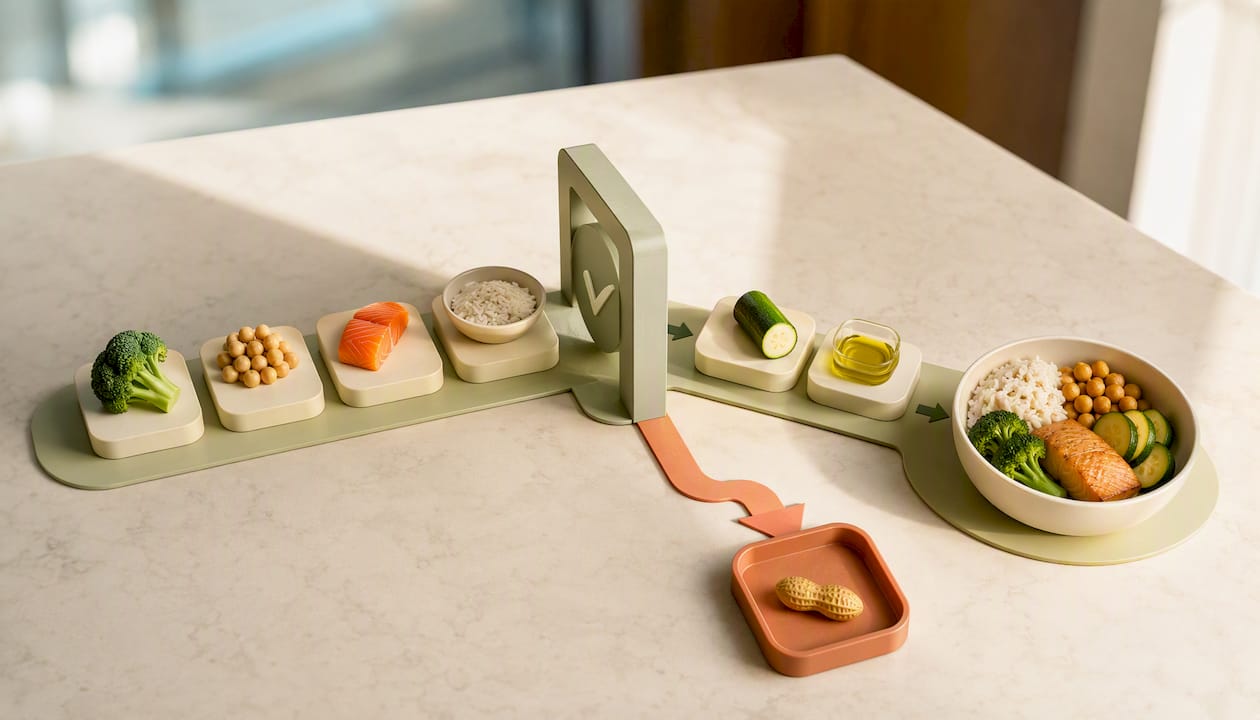
Integrations round out the list: family-sharing calendars, one-tap grocery ordering, and connections to nutrition or fitness apps. These aren’t dealbreakers on their own, but they determine whether the planner fits into your existing routine or asks you to build a new one around it.
How Do You Choose the Right Weekly Meal Planner?
You don’t need a week to figure out if a planner works for you. Ten minutes with the free tier tells you almost everything.
- Name your top constraint first. Is it time, budget, a medical allergy, or feeding six people instead of two? Whatever it is, that’s the feature you test first, not the one the app leads with.
- Generate one full week’s plan. Time it. If it takes longer than five minutes to get five usable dinners, the tool isn’t solving decision fatigue, it’s adding a new task.
- Convert that plan into a grocery list. Check whether it groups items by aisle or dumps everything in one unsorted column.
- Test one dietary filter or allergy flag, even if you don’t need one personally. See if it actually excludes ingredients or just relabels recipes.
- Check pantry sync, if the app offers it. Add three items you already own and see if the list adjusts.
- Look for hidden costs before committing. A free tier that locks grocery-list export or allergy filters behind a paywall isn’t really free for the household that needs those features most.
Watch for three red flags during this test: a grocery list you can’t export or share, allergy filters that are really just search tags, and a “free” plan that turns out to require payment for the one feature you actually came for.
Pro Tip: Run your test on a week you know is chaotic, not a calm one. If the planner holds up when your Tuesday plans fall apart, it’ll hold up every week.
How Does Dinner Roulette Pro Actually Work?
A core idea behind some apps is to reduce the number of decisions you have to make before dinner is on the table. A roulette wheel interface lets users spin for a recipe when they genuinely don’t care what they eat, or generate a full personalized weekly plan when they do.
The core features include:
- AI-generated weekly meal plans based on stated preferences and pantry contents
- A randomize/spin option for nights when you just want dinner decided for you
- Dietary restriction and allergy-check filters built into recipe generation, not bolted on afterward
- One-tap shopping list creation, sorted for faster store trips
- Nutrition information with calorie and macronutrient tracking per recipe
- Recipe import and sharing, so a family favorite from a screenshot or link becomes part of your rotation
- One-tap grocery ordering through Walmart or Instacart integration
A five-minute demo run looks like this: open the app, set your household’s dietary profile once, then generate a week of dinners. The plan lands with five meals slotted in. From there, tap to build the shopping list, which arrives grouped by aisle instead of recipe. Send that list straight to a grocery cart, and you’ve gone from “what’s for dinner this week” to a checkout-ready cart in under five minutes.
The value of automation in meal planning isn’t the novelty of a spinning wheel. It’s cutting the number of decision points between “I’m hungry” and “dinner is ready” down to almost none, which is exactly where most people burn out on planning altogether.
Some apps include a neurodivergent-friendly mode for low-energy days, when even choosing between three options feels like too much. That’s a detail many general planning apps don’t account for.
None of this means a manual planner is the wrong choice for everyone. If you genuinely enjoy the process of building a meal plan by hand, treat cooking as a creative outlet, or need highly specific batch-cooking math for a strict macro program, a spreadsheet or a manual template still has a place. Automation earns its keep when the problem is deciding what to eat, not when the problem is optimizing every gram.
For a deeper look at how the filters work for specific conditions, the meal planner for dietary restrictions guide walks through setup, and the family meal planning guide covers shared-calendar setup for households with multiple eaters.
What’s a Realistic Weekly Planning Routine?
A sustainable routine doesn’t need to be elaborate. Fifteen to twenty minutes of planning, once a week, followed by a thirty to sixty minute prep block, covers most households. This is roughly the cadence The Kitchn recommends for beginners: dedicated days for planning, shopping, and prep instead of winging it daily.
- Planning (15 to 20 minutes): Generate or adjust four to five dinners, slot in one eating-out night, and leave one night open for leftovers.
- Shopping: Use the aisle-sorted list generated from your plan to cut store time.
- Light prep (30 to 60 minutes): Chop vegetables, marinate proteins, or portion ingredients for the two or three busiest nights ahead.
Storage timing matters here. USDA guidance recommends using the most perishable prepped items within three to four days and freezing anything you won’t use in that window, since freezing timelines vary by food type. Label and date what you prep so nothing goes forgotten in the back of the fridge.
Does Automation Actually Reduce Decision Fatigue?
The most underrated benefit of an automated planner isn’t the time it saves. It’s the number of small decisions it removes before you’ve even opened the fridge.
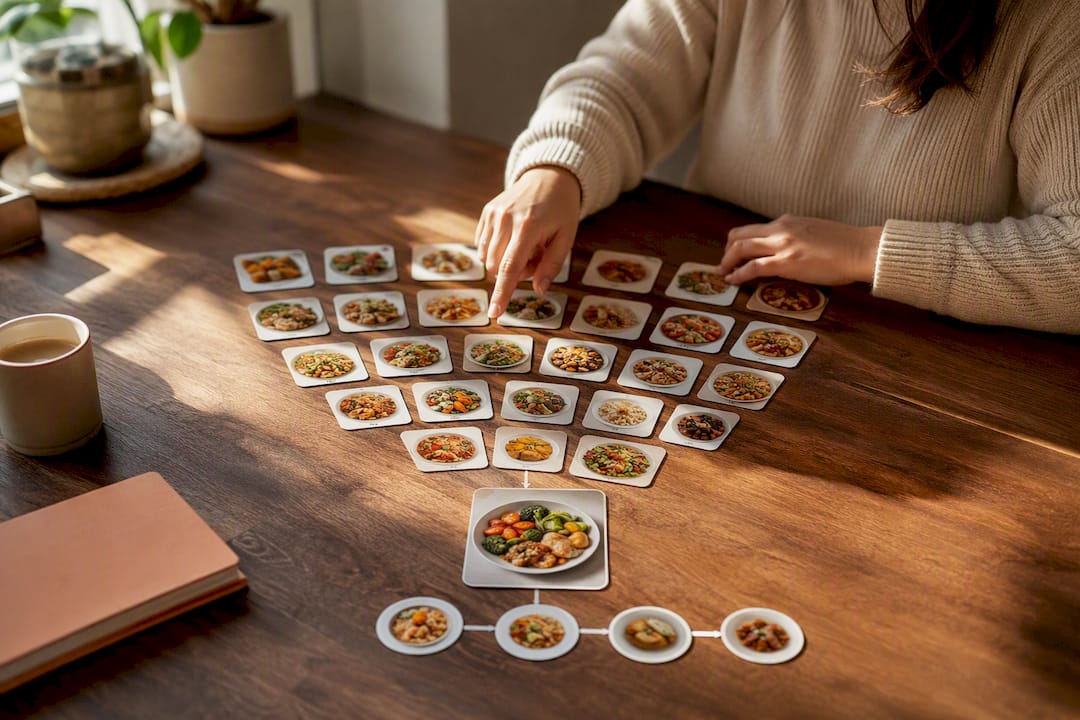
Think about a typical weeknight without a plan: what’s thawed, what’s expiring, who’s eating what, whether there’s enough for leftovers. That’s five or six micro-decisions before you’ve touched a pan. An automated weekly plan collapses all of that into one decision made days earlier, when you actually had the mental space to make it. Generating a five-dinner plan and an aisle-sorted list in under five minutes doesn’t just save clock time. It removes the daily negotiation with yourself about whether cooking is even worth it tonight.
That’s the real case for automation in weekly meal planning: not novelty, but fewer moments where “I don’t know” turns into ordering takeout again.
— Jack
Ready to Try Dinner Roulette Pro This Week?
Core recipe generation, shopping lists, and dietary filters are often free to use in meal planning apps, with premium subscription options available for advanced nutrition scoring, special modes, and deeper grocery cart integration. There is typically no cost barrier to trying these core features.
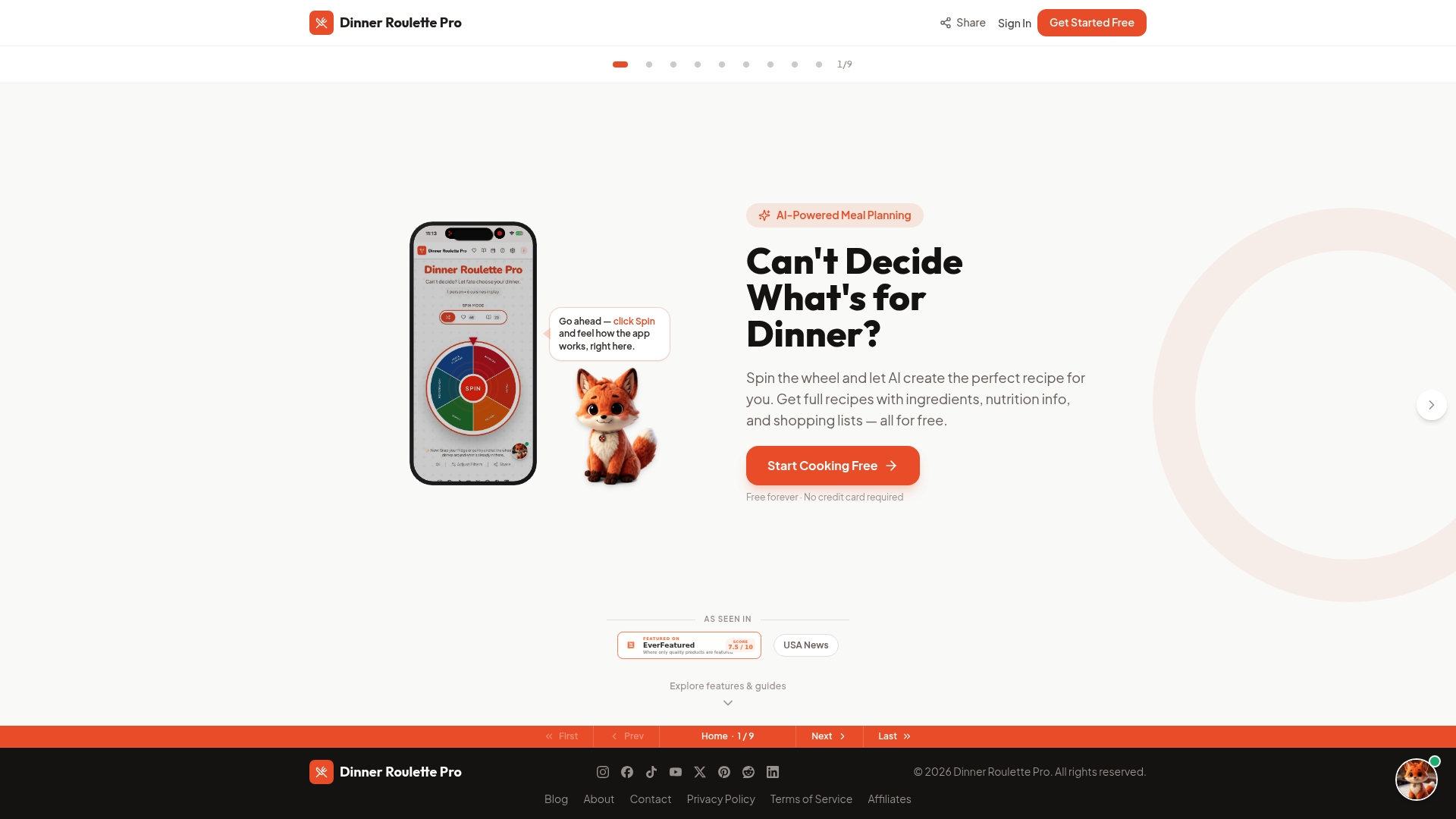
Start with three actions. First, set your dietary profile, including any allergies, so every generated recipe respects them from the first spin. Second, generate your first weekly plan, either by spinning for individual nights or letting the AI build all five dinners at once. Third, open the shopping list it creates and check that it’s sorted the way you actually shop.
If you already have favorite recipes you don’t want to lose, the Recipe Organization Guide walks through importing them into your rotation. And if your household size changes week to week, the Shopping List Guide covers how the grocery cart integration and portion scaling work together so you’re never buying for the wrong number of people.
Where Does This Guidance Come From?
The planning cadence and storage recommendations in this guide lean on a few sources worth bookmarking directly.
- The Kitchn’s beginner’s guide to meal planning for the plan/shop/prep cadence
- Harvard’s Nutrition Source Meal Prep Guide for the four to five dinner rule and storage timing
- Nutrition for building grocery lists from a weekly plan
Caregivers planning meals for aging parents or relatives with changing dietary needs may also find this guide to meal planning for seniors useful for adapting the same routine to a different household.
Sources
- The beginner’s guide to meal planning: what to know, how to succeed, and what to skip | The Kitchn
- Meal Prep Guide • The Nutrition Source
- Nutrition
FAQ
What Is the Best Weekly Meal Planner App?
Some meal planner apps can generate a full week of dinners, build an aisle-sorted grocery list, and apply allergy and dietary filters automatically, often available through a free core app.
What Is the 3-3-3 Rule for Meal Prep?
Definitions of the 3-3-3 rule vary across sources, so treat it as a loose guideline rather than a fixed standard. A common version suggests prepping three proteins, three grains or starches, and three vegetables to mix and match across the week rather than cooking a full recipe each night.
What Is the 5-4-3-2-1 Rule for Groceries?
This isn’t a standardized nutrition or grocery guideline with one agreed definition, so be cautious of sources presenting it as an official rule. If you encounter it, treat it as an informal shorthand rather than expert guidance, and rely instead on planning around four to five dinners a week as Harvard’s Nutrition Source recommends.
What’s a Good Meal Plan for a Week?
A good weekly plan covers four to five dinners, leans on leftovers for the remaining nights, and includes at least one built-in flex night for eating out or using up whatever’s left in the fridge. Starting with one new recipe a week, alongside familiar favorites, keeps the routine sustainable instead of overwhelming.
Is Dinner Roulette Pro Free to Use?
The core features, including AI recipe generation, dietary filters, and shopping list creation, are free. A premium subscription unlocks advanced features like SafeMode and deeper nutrition scoring, with current pricing listed on the Dinner Roulette Pro site.